- Business Home /
- Support /
- Laptops /
- Notebooks /
- Series 5 Notebook (NP-P580)
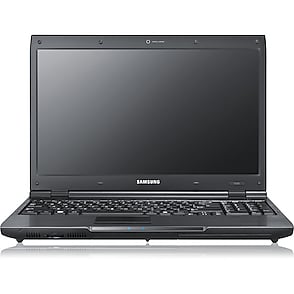
Series 5 Notebook
Edit product modelmake selection
- Series 5
- Notebook 7 Spin
- Model
- NP740U3LI
- NP740U5LE
- Notebook 9
- Model
- NP900X3NI
- NP900X3TI
- NP900X5TI
- Series 2
- Model
- NP200A5BI
- NP200B4AI
- NP200B4BI
- NP-P530I
- NP-Q330
- Series 3
- Model
- NP300E4E
- NP300E5C
- NP355E5C
- NP355E7C
- NP355V5C
- Series 4
- Model
- NP400B2BI
- NP400B4BI
- Series 5
- Model
- NP530U3C
- NP-P560I
- NP-P580
- Series 6
- Model
- NP600B4BI
- NP600B4C
- NP600B5BH
- Series 7
- Model
- NP700Z3CH
- NP700Z5CH
- NP700Z7CH
- Series 9
- Model
- NP900X3A
- NP900X4B
- [SELECT]
Product info
Manual, downloads, specs and register
Series 5 Notebook (NP-P580) edit- Series 5
- Notebook 7 Spin
- Model
- NP740U3LI
- NP740U5LE
- Notebook 9
- Model
- NP900X3NI
- NP900X3TI
- NP900X5TI
- Series 2
- Model
- NP200A5BI
- NP200B4AI
- NP200B4BI
- NP-P530I
- NP-Q330
- Series 3
- Model
- NP300E4E
- NP300E5C
- NP355E5C
- NP355E7C
- NP355V5C
- Series 4
- Model
- NP400B2BI
- NP400B4BI
- Series 5
- Model
- NP530U3C
- NP-P560I
- NP-P580
- Series 6
- Model
- NP600B4BI
- NP600B4C
- NP600B5BH
- Series 7
- Model
- NP700Z3CH
- NP700Z5CH
- NP700Z7CH
- Series 9
- Model
- NP900X3A
- NP900X4B
- [SELECT]
Register
Gain access to exclusive offers and perks, apps and services, world-class customer support and more.
register nowManuals
AUG 28,2014
13.65 MB
AUG 28,2014
11.26 MB
AUG 28,2014
11.03 MB
Downloads
JUN 24,2011
- Click the attached file and press ''Save'' button. Then press ''Browse...'' button and select the place where you want to save the selected file.
- After downloading the file, find the downloaded file and right_click on the file. On pop_up menu, select ''Extract All...'' option.
- On ''Extraction Wizard'', press ''Next'' button and press ''Browse...'' button. Select a folder to extract file and press ''Next'' again.
- After the file has been sucessfully extracted, see the extracted files.
Run ''Setup.exe'' file or ''setup.exe'' file in the folder.
- This software may not be appropriate depending on the computer model.
Thanks.
16.02 MB
SEP 15,2010
- Never power off during the BIOS in updating.
Thank you!!
2.71 MB
JUN 24,2011
- Click the attached file and press ''Save'' button. Then press ''Browse...'' button and select the place where you want to save the selected file.
- After downloading the file, find the downloaded file and right_click on the file. On pop_up menu, select ''Extract All...'' option.
- On ''Extraction Wizard'', press ''Next'' button and press ''Browse...'' button. Select a folder to extract file and press ''Next'' again.
- After the file has been sucessfully extracted, see the extracted files. Run ''Setup.exe'' file or ''setup.exe'' file in the folder.
Thanks
13.09 MB
JUN 24,2011
- Click the attached file and press ''Save'' button. Then press ''Browse...'' button and select the place where you want to save the selected file.
- After downloading the file, find the downloaded file and right_click on the file. On pop_up menu, select ''Extract All...'' option.
- On ''Extraction Wizard'', press ''Next'' button and press ''Browse...'' button. Select a folder to extract file and press ''Next'' again.
- After the file has been sucessfully extracted, see the extracted files.
Run ''Setup.exe'' file or ''setup.exe'' file in the folder.
- This software may not be appropriate depending on the computer model.
Thanks.
11.33 MB
APR 19,2011
- Click the attached file and press ''Save'' button. Then press ''Browse...'' button and select the place where you want to save the selected file.
- After downloading the file, find the downloaded file and right_click on the file. On pop_up menu, select ''Extract All...'' option.
- On ''Extraction Wizard'', press ''Next'' button and press ''Browse...'' button. Select a folder to extract file and press ''Next'' again.
- After the file has been sucessfully extracted, see the extracted files.
Run ''Setup.exe'' file or ''setup.exe'' file in the folder.
- This driver may not be appropriate depending on the computer model.
Thanks.
61.76 MB
MAY 20,2010
- Click the attached file and press ''Save'' button. Then press ''Browse...'' button and select the place where you want to save the selected file.
- After downloading the file, find the downloaded file and right_click on the file. On pop_up menu, select ''Extract All...'' option.
- On ''Extraction Wizard'', press ''Next'' button and press ''Browse...'' button. Select a folder to extract file and press ''Next'' again.
- After the file has been sucessfully extracted, see the extracted files.
Run ''Setup.exe'' file or ''setup.exe'' file in the folder.
- This driver may not be appropriate depending on the computer model.
Thanks.
101.68 MB
MAY 20,2010
- Click the attached file and press ''Save'' button. Then press ''Browse...'' button and select the place where you want to save the selected file.
- After downloading the file, find the downloaded file and right_click on the file. On pop_up menu, select ''Extract All...'' option.
- On ''Extraction Wizard'', press ''Next'' button and press ''Browse...'' button. Select a folder to extract file and press ''Next'' again.
- After the file has been sucessfully extracted, see the extracted files.
Run ''Setup.exe'' file or ''setup.exe'' file in the folder.
- This driver may not be appropriate depending on the computer model.
Thanks.
2.83 MB
JUN 24,2011
- Click the attached file and press ''Save'' button. Then press ''Browse...'' button and select the place where you want to save the selected file.
- After downloading the file, find the downloaded file and right_click on the file. On pop_up menu, select ''Extract All...'' option.
- On ''Extraction Wizard'', press ''Next'' button and press ''Browse...'' button. Select a folder to extract file and press ''Next'' again.
- After the file has been sucessfully extracted, see the extracted files.
Run ''Setup.exe'' file or ''setup.exe'' file in the folder.
- This software may not be appropriate depending on the computer model.
Thanks.
14.68 MB
JUN 24,2011
- Click the attached file and press ''Save'' button. Then press ''Browse...'' button and select the place where you want to save the selected file.
- After downloading the file, find the downloaded file and right_click on the file. On pop_up menu, select ''Extract All...'' option.
- On ''Extraction Wizard'', press ''Next'' button and press ''Browse...'' button. Select a folder to extract file and press ''Next'' again.
- After the file has been sucessfully extracted, see the extracted files. Run ''Setup.exe'' file or ''setup.exe'' file in the folder.
Thanks
14.68 MB
MAY 20,2010
- Click the attached file and press ''Save'' button. Then press ''Browse...'' button and select the place where you want to save the selected file.
- After downloading the file, find the downloaded file and right_click on the file. On pop_up menu, select ''Extract All...'' option.
- On ''Extraction Wizard'', press ''Next'' button and press ''Browse...'' button. Select a folder to extract file and press ''Next'' again.
- After the file has been sucessfully extracted, see the extracted files.
Run ''Setup.exe'' file or ''setup.exe'' file in the folder.
- This driver may not be appropriate depending on the computer model.
Thanks.
2.47 MB
MAR 15,2010
- Click the attached file and press ''Save'' button. Then press ''Browse...'' button and select the place where you want to save the selected file.
- After downloading the file, find the downloaded file and right_click on the file. On pop_up menu, select ''Extract All...'' option.
- On ''Extraction Wizard'', press ''Next'' button and press ''Browse...'' button. Select a folder to extract file and press ''Next'' again.
- After the file has been sucessfully extracted, see the extracted files. Run ''Setup.exe'' file or ''setup.exe'' file in the folder.
Thanks
2.47 MB
JUN 24,2011
- Click the attached file and press ''Save'' button. Then press ''Browse...'' button and select the place where you want to save the selected file.
- After downloading the file, find the downloaded file and right_click on the file. On pop_up menu, select ''Extract All...'' option.
- On ''Extraction Wizard'', press ''Next'' button and press ''Browse...'' button. Select a folder to extract file and press ''Next'' again.
- After the file has been sucessfully extracted, see the extracted files. Run ''Setup.exe'' file or ''setup.exe'' file in the folder.
Thanks
3.47 MB
JUN 24,2011
- Click the attached file and press ''Save'' button. Then press ''Browse...'' button and select the place where you want to save the selected file.
- After downloading the file, find the downloaded file and right_click on the file. On pop_up menu, select ''Extract All...'' option.
- On ''Extraction Wizard'', press ''Next'' button and press ''Browse...'' button. Select a folder to extract file and press ''Next'' again.
- After the file has been sucessfully extracted, see the extracted files.
Run ''Setup.exe'' file or ''setup.exe'' file in the folder.
- This software may not be appropriate depending on the computer model.
Thanks.
19.76 MB
JUN 24,2011
- Click the attached file and press ''Save'' button. Then press ''Browse...'' button and select the place where you want to save the selected file.
- After downloading the file, find the downloaded file and right_click on the file. On pop_up menu, select ''Extract All...'' option.
- On ''Extraction Wizard'', press ''Next'' button and press ''Browse...'' button. Select a folder to extract file and press ''Next'' again.
- After the file has been sucessfully extracted, see the extracted files.
Run ''Setup.exe'' file or ''setup.exe'' file in the folder.
- This software may not be appropriate depending on the computer model.
Thanks.
20.06 MB
JUN 24,2011
- Click the attached file and press ''Save'' button. Then press ''Browse...'' button and select the place where you want to save the selected file.
- After downloading the file, find the downloaded file and right_click on the file. On pop_up menu, select ''Extract All...'' option.
- On ''Extraction Wizard'', press ''Next'' button and press ''Browse...'' button. Select a folder to extract file and press ''Next'' again.
- After the file has been sucessfully extracted, see the extracted files.
Run ''Setup.exe'' file or ''setup.exe'' file in the folder.
- This software may not be appropriate depending on the computer model.
Thanks.
18.13 MB
JUN 24,2011
- Click the attached file and press ''Save'' button. Then press ''Browse...'' button and select the place where you want to save the selected file.
- After downloading the file, find the downloaded file and right_click on the file. On pop_up menu, select ''Extract All...'' option.
- On ''Extraction Wizard'', press ''Next'' button and press ''Browse...'' button. Select a folder to extract file and press ''Next'' again.
- After the file has been sucessfully extracted, see the extracted files. Run ''Setup.exe'' file or ''setup.exe'' file in the folder.
Thanks
33.72 MB
JUN 24,2011
- Click the attached file and press ''Save'' button. Then press ''Browse...'' button and select the place where you want to save the selected file.
- After downloading the file, find the downloaded file and right_click on the file. On pop_up menu, select ''Extract All...'' option.
- On ''Extraction Wizard'', press ''Next'' button and press ''Browse...'' button. Select a folder to extract file and press ''Next'' again.
- After the file has been sucessfully extracted, see the extracted files.
Run ''Setup.exe'' file or ''setup.exe'' file in the folder.
- This software may not be appropriate depending on the computer model.
Thanks.
3.64 MB
JUN 24,2011
- Click the attached file and press ''Save'' button. Then press ''Browse...'' button and select the place where you want to save the selected file.
- After downloading the file, find the downloaded file and right_click on the file. On pop_up menu, select ''Extract All...'' option.
- On ''Extraction Wizard'', press ''Next'' button and press ''Browse...'' button. Select a folder to extract file and press ''Next'' again.
- After the file has been sucessfully extracted, see the extracted files. Run ''Setup.exe'' file or ''setup.exe'' file in the folder.
Thanks
8.15 MB
MAY 20,2010
- Click the attached file and press ''Save'' button. Then press ''Browse...'' button and select the place where you want to save the selected file.
- After downloading the file, find the downloaded file and right_click on the file. On pop_up menu, select ''Extract All...'' option.
- On ''Extraction Wizard'', press ''Next'' button and press ''Browse...'' button. Select a folder to extract file and press ''Next'' again.
- After the file has been sucessfully extracted, see the extracted files.
Run ''Setup.exe'' file or ''setup.exe'' file in the folder.
- This driver may not be appropriate depending on the computer model.
Thanks.
4.17 MB
MAY 20,2010
- Click the attached file and press ''Save'' button. Then press ''Browse...'' button and select the place where you want to save the selected file.
- After downloading the file, find the downloaded file and right_click on the file. On pop_up menu, select ''Extract All...'' option.
- On ''Extraction Wizard'', press ''Next'' button and press ''Browse...'' button. Select a folder to extract file and press ''Next'' again.
- After the file has been sucessfully extracted, see the extracted files.
Run ''Setup.exe'' file or ''setup.exe'' file in the folder.
- This driver may not be appropriate depending on the computer model.
Thanks.
8.04 MB
MAR 15,2010
- Click the attached file and press ''Save'' button. Then press ''Browse...'' button and select the place where you want to save the selected file.
- After downloading the file, find the downloaded file and right_click on the file. On pop_up menu, select ''Extract All...'' option.
- On ''Extraction Wizard'', press ''Next'' button and press ''Browse...'' button. Select a folder to extract file and press ''Next'' again.
- After the file has been sucessfully extracted, see the extracted files. Run ''Setup.exe'' file or ''setup.exe'' file in the folder.
Thanks
8.04 MB
JUN 24,2011
- Click the attached file and press ''Save'' button. Then press ''Browse...'' button and select the place where you want to save the selected file.
- After downloading the file, find the downloaded file and right_click on the file. On pop_up menu, select ''Extract All...'' option.
- On ''Extraction Wizard'', press ''Next'' button and press ''Browse...'' button. Select a folder to extract file and press ''Next'' again.
- After the file has been sucessfully extracted, see the extracted files. Run ''Setup.exe'' file or ''setup.exe'' file in the folder.
Thanks
206.43 MB
JUN 24,2011
- Click the attached file and press ''Save'' button. Then press ''Browse...'' button and select the place where you want to save the selected file.
- After downloading the file, find the downloaded file and right_click on the file. On pop_up menu, select ''Extract All...'' option.
- On ''Extraction Wizard'', press ''Next'' button and press ''Browse...'' button. Select a folder to extract file and press ''Next'' again.
- After the file has been sucessfully extracted, see the extracted files.
Run ''Setup.exe'' file or ''setup.exe'' file in the folder.
- This software may not be appropriate depending on the computer model.
Thanks.
141.48 MB
MAR 15,2010
- Click the attached file and press ''Save'' button. Then press ''Browse...'' button and select the place where you want to save the selected file.
- After downloading the file, find the downloaded file and right_click on the file. On pop_up menu, select ''Extract All...'' option.
- On ''Extraction Wizard'', press ''Next'' button and press ''Browse...'' button. Select a folder to extract file and press ''Next'' again.
- After the file has been sucessfully extracted, see the extracted files. Run ''Setup.exe'' file or ''setup.exe'' file in the folder.
Thanks
11.66 MB
JUL 23,2010
- Click the attached file and press ''Save'' button. Then press ''Browse...'' button and select the place where you want to save the selected file.
- After downloading the file, find the downloaded file and right_click on the file. On pop_up menu, select ''Extract All...'' option.
- On ''Extraction Wizard'', press ''Next'' button and press ''Browse...'' button. Select a folder to extract file and press ''Next'' again.
- After the file has been sucessfully extracted, see the extracted files.
Run ''Setup.exe'' file or ''setup.exe'' file in the folder.
- This driver may not be appropriate depending on the computer model.
Thanks.
1.07 MB
JUN 04,2010
- Click the attached file and press ''Save'' button. Then press ''Browse...'' button and select the place where you want to save the selected file.
- After downloading the file, find the downloaded file and right_click on the file. On pop_up menu, select ''Extract All...'' option.
- On ''Extraction Wizard'', press ''Next'' button and press ''Browse...'' button. Select a folder to extract file and press ''Next'' again.
- After the file has been sucessfully extracted, see the extracted files. Run ''Setup.exe'' file or ''setup.exe'' file in the folder.
Thanks
1.07 MB
MAY 20,2010
- Click the attached file and press ''Save'' button. Then press ''Browse...'' button and select the place where you want to save the selected file.
- After downloading the file, find the downloaded file and right_click on the file. On pop_up menu, select ''Extract All...'' option.
- On ''Extraction Wizard'', press ''Next'' button and press ''Browse...'' button. Select a folder to extract file and press ''Next'' again.
- After the file has been sucessfully extracted, see the extracted files.
Run ''Setup.exe'' file or ''setup.exe'' file in the folder.
- This driver may not be appropriate depending on the computer model.
Thanks.
1.31 MB
MAR 15,2010
- Click the attached file and press ''Save'' button. Then press ''Browse...'' button and select the place where you want to save the selected file.
- After downloading the file, find the downloaded file and right_click on the file. On pop_up menu, select ''Extract All...'' option.
- On ''Extraction Wizard'', press ''Next'' button and press ''Browse...'' button. Select a folder to extract file and press ''Next'' again.
- After the file has been sucessfully extracted, see the extracted files. Run ''Setup.exe'' file or ''setup.exe'' file in the folder.
Thanks
2.10 MB
JUN 24,2011
- Click the attached file and press ''Save'' button. Then press ''Browse...'' button and select the place where you want to save the selected file.
- After downloading the file, find the downloaded file and right_click on the file. On pop_up menu, select ''Extract All...'' option.
- On ''Extraction Wizard'', press ''Next'' button and press ''Browse...'' button. Select a folder to extract file and press ''Next'' again.
- After the file has been sucessfully extracted, see the extracted files. Run ''Setup.exe'' file or ''setup.exe'' file in the folder.
Thanks
1.89 MB
JUN 24,2011
- Click the attached file and press ''Save'' button. Then press ''Browse...'' button and select the place where you want to save the selected file.
- After downloading the file, find the downloaded file and right_click on the file. On pop_up menu, select ''Extract All...'' option.
- On ''Extraction Wizard'', press ''Next'' button and press ''Browse...'' button. Select a folder to extract file and press ''Next'' again.
- After the file has been sucessfully extracted, see the extracted files.
Run ''Setup.exe'' file or ''setup.exe'' file in the folder.
- This software may not be appropriate depending on the computer model.
Thanks.
2.21 MB
JUN 24,2011
- Click the attached file and press ''Save'' button. Then press ''Browse...'' button and select the place where you want to save the selected file.
- After downloading the file, find the downloaded file and right_click on the file. On pop_up menu, select ''Extract All...'' option.
- On ''Extraction Wizard'', press ''Next'' button and press ''Browse...'' button. Select a folder to extract file and press ''Next'' again.
- After the file has been sucessfully extracted, see the extracted files. Run ''Setup.exe'' file or ''setup.exe'' file in the folder.
Thanks
35.19 MB
JUN 24,2011
- Click the attached file and press ''Save'' button. Then press ''Browse...'' button and select the place where you want to save the selected file.
- After downloading the file, find the downloaded file and right_click on the file. On pop_up menu, select ''Extract All...'' option.
- On ''Extraction Wizard'', press ''Next'' button and press ''Browse...'' button. Select a folder to extract file and press ''Next'' again.
- After the file has been sucessfully extracted, see the extracted files.
Run ''Setup.exe'' file or ''setup.exe'' file in the folder.
- This software may not be appropriate depending on the computer model.
Thanks.
23.17 MB
MAY 20,2010
- Click the attached file and press ''Save'' button. Then press ''Browse...'' button and select the place where you want to save the selected file.
- After downloading the file, find the downloaded file and right_click on the file. On pop_up menu, select ''Extract All...'' option.
- On ''Extraction Wizard'', press ''Next'' button and press ''Browse...'' button. Select a folder to extract file and press ''Next'' again.
- After the file has been sucessfully extracted, see the extracted files.
Run ''Setup.exe'' file or ''setup.exe'' file in the folder.
- This driver may not be appropriate depending on the computer model.
Thanks.
73.67 MB
MAR 15,2010
- Click the attached file and press ''Save'' button. Then press ''Browse...'' button and select the place where you want to save the selected file.
- After downloading the file, find the downloaded file and right_click on the file. On pop_up menu, select ''Extract All...'' option.
- On ''Extraction Wizard'', press ''Next'' button and press ''Browse...'' button. Select a folder to extract file and press ''Next'' again.
- After the file has been sucessfully extracted, see the extracted files. Run ''Setup.exe'' file or ''setup.exe'' file in the folder.
Thanks
1.62 MB
JUL 11,2012
- This driver may show a different version or not be appropriate depending on the computer model. (Driver version: 9.2.0.500 / 10.0.0.54)
Thanks.
74.16 MB
JUN 24,2011
- Click the attached file and press ''Save'' button. Then press ''Browse...'' button and select the place where you want to save the selected file.
- After downloading the file, find the downloaded file and right_click on the file. On pop_up menu, select ''Extract All...'' option.
- On ''Extraction Wizard'', press ''Next'' button and press ''Browse...'' button. Select a folder to extract file and press ''Next'' again.
- After the file has been sucessfully extracted, see the extracted files. Run ''Setup.exe'' file or ''setup.exe'' file in the folder.
Thanks
80.30 MB
JUN 24,2011
- Click the attached file and press ''Save'' button. Then press ''Browse...'' button and select the place where you want to save the selected file.
- After downloading the file, find the downloaded file and right_click on the file. On pop_up menu, select ''Extract All...'' option.
- On ''Extraction Wizard'', press ''Next'' button and press ''Browse...'' button. Select a folder to extract file and press ''Next'' again.
- After the file has been sucessfully extracted, see the extracted files.
Run ''Setup.exe'' file or ''setup.exe'' file in the folder.
- This software may not be appropriate depending on the computer model.
Thanks.
80.30 MB
JUN 24,2011
- Click the attached file and press ''Save'' button. Then press ''Browse...'' button and select the place where you want to save the selected file.
- After downloading the file, find the downloaded file and right_click on the file. On pop_up menu, select ''Extract All...'' option.
- On ''Extraction Wizard'', press ''Next'' button and press ''Browse...'' button. Select a folder to extract file and press ''Next'' again.
- After the file has been sucessfully extracted, see the extracted files.
Run ''Setup.exe'' file or ''setup.exe'' file in the folder.
- This software may not be appropriate depending on the computer model.
Thanks.
4.66 MB
JUN 24,2011
- Click the attached file and press ''Save'' button. Then press ''Browse...'' button and select the place where you want to save the selected file.
- After downloading the file, find the downloaded file and right_click on the file. On pop_up menu, select ''Extract All...'' option.
- On ''Extraction Wizard'', press ''Next'' button and press ''Browse...'' button. Select a folder to extract file and press ''Next'' again.
- After the file has been sucessfully extracted, see the extracted files. Run ''Setup.exe'' file or ''setup.exe'' file in the folder.
Thanks
8.72 MB
JUN 24,2011
- Click the attached file and press ''Save'' button. Then press ''Browse...'' button and select the place where you want to save the selected file.
- After downloading the file, find the downloaded file and right_click on the file. On pop_up menu, select ''Extract All...'' option.
- On ''Extraction Wizard'', press ''Next'' button and press ''Browse...'' button. Select a folder to extract file and press ''Next'' again.
- After the file has been sucessfully extracted, see the extracted files.
Run ''Setup.exe'' file or ''setup.exe'' file in the folder.
- This software may not be appropriate depending on the computer model.
Thanks.
5.19 MB
JUN 24,2011
- Click the attached file and press ''Save'' button. Then press ''Browse...'' button and select the place where you want to save the selected file.
- After downloading the file, find the downloaded file and right_click on the file. On pop_up menu, select ''Extract All...'' option.
- On ''Extraction Wizard'', press ''Next'' button and press ''Browse...'' button. Select a folder to extract file and press ''Next'' again.
- After the file has been sucessfully extracted, see the extracted files. Run ''Setup.exe'' file or ''setup.exe'' file in the folder.
Thanks
26.68 MB
JUN 24,2011
- Click the attached file and press ''Save'' button. Then press ''Browse...'' button and select the place where you want to save the selected file.
- After downloading the file, find the downloaded file and right_click on the file. On pop_up menu, select ''Extract All...'' option.
- On ''Extraction Wizard'', press ''Next'' button and press ''Browse...'' button. Select a folder to extract file and press ''Next'' again.
- After the file has been sucessfully extracted, see the extracted files.
Run ''Setup.exe'' file or ''setup.exe'' file in the folder.
- This software may not be appropriate depending on the computer model.
Thanks.
24.43 MB
MAY 20,2010
- Click the attached file and press ''Save'' button. Then press ''Browse...'' button and select the place where you want to save the selected file.
- After downloading the file, find the downloaded file and right_click on the file. On pop_up menu, select ''Extract All...'' option.
- On ''Extraction Wizard'', press ''Next'' button and press ''Browse...'' button. Select a folder to extract file and press ''Next'' again.
- After the file has been sucessfully extracted, see the extracted files.
Run ''Setup.exe'' file or ''setup.exe'' file in the folder.
- This driver may not be appropriate depending on the computer model.
Thanks.
98.09 MB
MAR 15,2010
- Click the attached file and press ''Save'' button. Then press ''Browse...'' button and select the place where you want to save the selected file.
- After downloading the file, find the downloaded file and right_click on the file. On pop_up menu, select ''Extract All...'' option.
- On ''Extraction Wizard'', press ''Next'' button and press ''Browse...'' button. Select a folder to extract file and press ''Next'' again.
- After the file has been sucessfully extracted, see the extracted files. Run ''Setup.exe'' file or ''setup.exe'' file in the folder.
Thanks
86.16 MB
MAY 20,2010
- Click the attached file and press ''Save'' button. Then press ''Browse...'' button and select the place where you want to save the selected file.
- After downloading the file, find the downloaded file and right_click on the file. On pop_up menu, select ''Extract All...'' option.
- On ''Extraction Wizard'', press ''Next'' button and press ''Browse...'' button. Select a folder to extract file and press ''Next'' again.
- After the file has been sucessfully extracted, see the extracted files.
Run ''Setup.exe'' file or ''setup.exe'' file in the folder.
- This driver may not be appropriate depending on the computer model.
Thanks.
0.03 MB
MAY 20,2010
- Click the attached file and press ''Save'' button. Then press ''Browse...'' button and select the place where you want to save the selected file.
- After downloading the file, find the downloaded file and right_click on the file. On pop_up menu, select ''Extract All...'' option.
- On ''Extraction Wizard'', press ''Next'' button and press ''Browse...'' button. Select a folder to extract file and press ''Next'' again.
- After the file has been sucessfully extracted, see the extracted files.
Run ''Setup.exe'' file or ''setup.exe'' file in the folder.
- This driver may not be appropriate depending on the computer model.
Thanks.
28.33 MB
MAR 24,2010
- Click the attached file and press ''Save'' button. Then press ''Browse...'' button and select the place where you want to save the selected file.
- After downloading the file, find the downloaded file and right_click on the file. On pop_up menu, select ''Extract All...'' option.
- On ''Extraction Wizard'', press ''Next'' button and press ''Browse...'' button. Select a folder to extract file and press ''Next'' again.
- After the file has been sucessfully extracted, see the extracted files. Run ''Setup.exe'' file or ''setup.exe'' file in the folder.
Thanks
28.33 MB
JUL 23,2010
- Click the attached file and press ''Save'' button. Then press ''Browse...'' button and select the place where you want to save the selected file.
- After downloading the file, find the downloaded file and right_click on the file. On pop_up menu, select ''Extract All...'' option.
- On ''Extraction Wizard'', press ''Next'' button and press ''Browse...'' button. Select a folder to extract file and press ''Next'' again.
- After the file has been sucessfully extracted, see the extracted files.
Run ''Setup.exe'' file or ''setup.exe'' file in the folder.
- This driver may not be appropriate depending on the computer model.
Thanks.
17.49 MB
JUN 21,2010
- Click the attached file and press ''Save'' button. Then press ''Browse...'' button and select the place where you want to save the selected file.
- After downloading the file, find the downloaded file and right_click on the file. On pop_up menu, select ''Extract All...'' option.
- On ''Extraction Wizard'', press ''Next'' button and press ''Browse...'' button. Select a folder to extract file and press ''Next'' again.
- After the file has been sucessfully extracted, see the extracted files. Run ''Setup.exe'' file or ''setup.exe'' file in the folder.
Thanks
37.16 MB
JUN 21,2010
- Click the attached file and press ''Save'' button. Then press ''Browse...'' button and select the place where you want to save the selected file.
- After downloading the file, find the downloaded file and right_click on the file. On pop_up menu, select ''Extract All...'' option.
- On ''Extraction Wizard'', press ''Next'' button and press ''Browse...'' button. Select a folder to extract file and press ''Next'' again.
- After the file has been sucessfully extracted, see the extracted files. Run ''Setup.exe'' file or ''setup.exe'' file in the folder.
Thanks
38.78 MB
SEP 16,2011
- Click the attached file and press ''Save'' button. Then press ''Browse...'' button and select the place where you want to save the selected file.
- After downloading the file, find the downloaded file and right_click on the file. On pop_up menu, select ''Extract All...'' option.
- On ''Extraction Wizard'', press ''Next'' button and press ''Browse...'' button. Select a folder to extract file and press ''Next'' again.
- After the file has been sucessfully extracted, see the extracted files.
Run ''inst.exe'' file or ''inst.exe'' file in the folder.
- This driver may not be appropriate depending on the computer model.
Thanks.
33.73 MB
AUG 12,2011
- Click the attached file and press ''Save'' button. Then press ''Browse...'' button and select the place where you want to save the selected file.
- After downloading the file, find the downloaded file and right_click on the file. On pop_up menu, select ''Extract All...'' option.
- On ''Extraction Wizard'', press ''Next'' button and press ''Browse...'' button. Select a folder to extract file and press ''Next'' again.
- After the file has been sucessfully extracted, see the extracted files.
Run ''inst.exe'' file or ''inst.exe'' file in the folder.
- This driver may not be appropriate depending on the computer model.
Thanks.
33.73 MB
OCT 25,2011
- Click the attached file and press ''Save'' button. Then press ''Browse...'' button and select the place where you want to save the selected file.
- After downloading the file, find the downloaded file and right_click on the file. On pop_up menu, select ''Extract All...'' option.
- On ''Extraction Wizard'', press ''Next'' button and press ''Browse...'' button. Select a folder to extract file and press ''Next'' again.
- After the file has been sucessfully extracted, see the extracted files.
Run ''inst.exe'' file or ''inst.exe'' file in the folder.
- This driver may not be appropriate depending on the computer model.
Thanks.
46.03 MB
OCT 25,2011
- Click the attached file and press ''Save'' button. Then press ''Browse...'' button and select the place where you want to save the selected file.
- After downloading the file, find the downloaded file and right_click on the file. On pop_up menu, select ''Extract All...'' option.
- On ''Extraction Wizard'', press ''Next'' button and press ''Browse...'' button. Select a folder to extract file and press ''Next'' again.
- After the file has been sucessfully extracted, see the extracted files.
Run ''inst.exe'' file or ''inst.exe'' file in the folder.
- This driver may not be appropriate depending on the computer model.
Thanks.
28.19 MB
JUL 23,2010
- Click the attached file and press ''Save'' button. Then press ''Browse...'' button and select the place where you want to save the selected file.
- After downloading the file, find the downloaded file and right_click on the file. On pop_up menu, select ''Extract All...'' option.
- On ''Extraction Wizard'', press ''Next'' button and press ''Browse...'' button. Select a folder to extract file and press ''Next'' again.
- After the file has been sucessfully extracted, see the extracted files.
Run ''Setup.exe'' file or ''setup.exe'' file in the folder.
- This driver may not be appropriate depending on the computer model.
Thanks.
32.80 MB
JUN 07,2010
- Click the attached file and press ''Save'' button. Then press ''Browse...'' button and select the place where you want to save the selected file.
- After downloading the file, find the downloaded file and right_click on the file. On pop_up menu, select ''Extract All...'' option.
- On ''Extraction Wizard'', press ''Next'' button and press ''Browse...'' button. Select a folder to extract file and press ''Next'' again.
- After the file has been sucessfully extracted, see the extracted files. Run ''Setup.exe'' file or ''setup.exe'' file in the folder.
Thanks
40.75 MB
JUN 07,2010
- Click the attached file and press ''Save'' button. Then press ''Browse...'' button and select the place where you want to save the selected file.
- After downloading the file, find the downloaded file and right_click on the file. On pop_up menu, select ''Extract All...'' option.
- On ''Extraction Wizard'', press ''Next'' button and press ''Browse...'' button. Select a folder to extract file and press ''Next'' again.
- After the file has been sucessfully extracted, see the extracted files. Run ''Setup.exe'' file or ''setup.exe'' file in the folder.
Thanks
35.97 MB
Specs
Series 5 Notebook (NP-P580)
Specification
Series 5 Notebook (NP-P580)
Display
15.6"
LED Backlit
System Memory
4GB DDR3
Storage
320GB
Graphics
NVIDIA GeForce 330M
512MB Shared
Sound & Camera
1.3 Megapixel
Wireless
802.11 b/g/n
Bluetooth 2.1+EDR
I/O Ports
Yes
1
Yes
Yes
4
3-in-1 (SD, SDHC, MMC)
Yes
Input Devices
Yes
Power
60 W
Security & Safety
Yes
Yes
Dimensions
14.6" x 1.2" x 10.1"
Weight
5.46 lbs.
Warranty
1 Year Parts and Labor
Interactive guide
Repairs & service
Send your device in for repairs or visit a Customer Service Location.


1. Limitations apply; visit http://www.samsung.com/us/support/premium-care/terms-and-conditions/ for full terms and conditions.
