- Business Home /
- Support /
- Outdoor & Window /
- Other Series /
- DR Series Digital Signage (460DR-2)
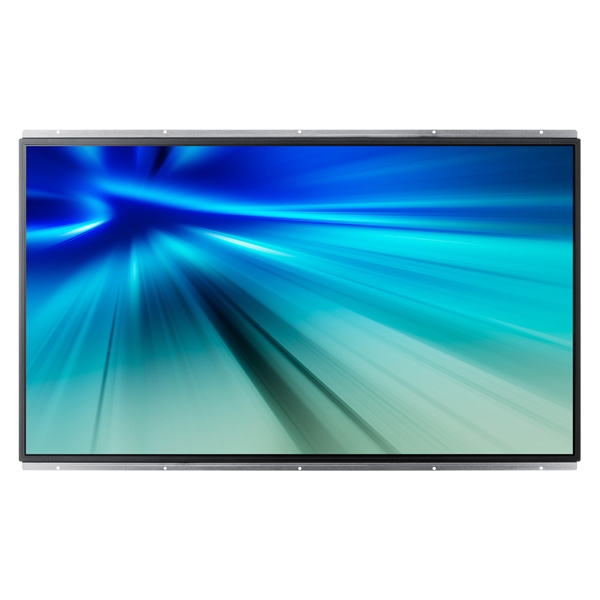
DR Series Digital Signage
Edit product modelmake selection
- DR Series
- BX Series
- Model
- 400BX
- CX Series
- Model
- 400CX-2
- 400CX-3
- 400CXN
- 400CXN-1
- 400CXN-2
- 460CX
- 460CX-2
- 460CX-3
- 460CXN
- 460CXN-2
- DR Series
- Model
- 460DR
- 460DR-2
- 460DRN
- 460DRN-A
- 460DRN-S
- 460DRN-SL
- 460DR-S
- 460DR-SL
- 700DRN
- 700DRN-A
- DX Series
- Model
- 400DX-2
- 400DX-3
- 400DXN-2
- 460DX-2
- 460DX-3
- 460DXN-2
- 520DX
- 520DXN
- 550DX
- 570DX
- 700DX-2
- 700DX-3
- 700DXN-2
- 820DX-3
- 820DXN
- 820DXN-2
- EX Series
- Model
- 400EXN
- 460EX
- 460EXN
- 550EX
- 550EXN
- FX Series
- Model
- 400FX
- 400FXN
- MX Series
- Model
- 230MXN
- 320MX
- 320MXN
- 320MXN-2
- 320MXN-3
- 400MX
- 400MX-2
- 400MXN
- 400MXN-2
- 460MX
- 460MXN
- 460MXN-2
- Other Series
- Model
- 460DMN
- PX Series
- Model
- 320PX
- 400PX
- 400PXN
- [SELECT]
Product info
Manual, downloads, specs and register
DR Series Digital Signage (460DR-2) edit- DR Series
- BX Series
- Model
- 400BX
- CX Series
- Model
- 400CX-2
- 400CX-3
- 400CXN
- 400CXN-1
- 400CXN-2
- 460CX
- 460CX-2
- 460CX-3
- 460CXN
- 460CXN-2
- DR Series
- Model
- 460DR
- 460DR-2
- 460DRN
- 460DRN-A
- 460DRN-S
- 460DRN-SL
- 460DR-S
- 460DR-SL
- 700DRN
- 700DRN-A
- DX Series
- Model
- 400DX-2
- 400DX-3
- 400DXN-2
- 460DX-2
- 460DX-3
- 460DXN-2
- 520DX
- 520DXN
- 550DX
- 570DX
- 700DX-2
- 700DX-3
- 700DXN-2
- 820DX-3
- 820DXN
- 820DXN-2
- EX Series
- Model
- 400EXN
- 460EX
- 460EXN
- 550EX
- 550EXN
- FX Series
- Model
- 400FX
- 400FXN
- MX Series
- Model
- 230MXN
- 320MX
- 320MXN
- 320MXN-2
- 320MXN-3
- 400MX
- 400MX-2
- 400MXN
- 400MXN-2
- 460MX
- 460MXN
- 460MXN-2
- Other Series
- Model
- 460DMN
- PX Series
- Model
- 320PX
- 400PX
- 400PXN
- [SELECT]
Register
Gain access to exclusive offers and perks, apps and services, world-class customer support and more.
register nowManuals
JUL 30,2012
1.55 MB
OCT 04,2012
12.31 MB
OCT 04,2012
8.52 MB
OCT 04,2012
7.22 MB
Downloads
FEB 13,2012
- Title Monitor Driver
- Applicable Model SyncMaster 460DR-2
- Carrier or Corporate Customer Open Market
- Description If you have trouble for setting up the Monitor under Windows 7, this program will help you to install Windows Monitor Driver. You can install the most suitable Windows driver for your monitor.System Requirements : Windows7(32bit/64bit)
7.90 MB
Specs
DR Series Digital Signage (460DR-2)
Specification
DR Series Digital Signage (460DR-2)
Series Name
DB40D
Display
40"
60Hz D-LED BLU
1920 x 1080
16:9
350nit
5000:1
178:178
8 ms
Connectivity
RGB: Analog D-SUB, DVI-D AUDIO: Stereo mini Jack VIDEO: HDMI1 Component(CVBS Common)
AUDIO: Stereo mini Jack
Power
AC 100 - 240 V~ (+/- 10 %), 50/60 Hz
121(Max) / 60(Typical) / 412.61(BTU) W/h
less than 0.5W
Environmental Conditions
0℃~ 40 ℃
10~80 %
Features
Super Clear Coating, Temperature Sensor, Pivot Display, Button Lock, Clock Battery(80hrs Clock Keeping), Built in Speaker(10W x 2), SD Card Slot, Tuner
Magic Clone(to USB), Auto Source Switching & Recovery, RS232C/RJ45 MDC,Plug and Play (DDC2B), PIP/PBP, Image Rotation, Built In MagicInfo Player S2, Firmware Update by Network, LFD New Home Screen, Predefined Template for Vertical Usage, Multi Channel, Mobile Control, Event Schedule, Backup Player, PC-less Touch, MagicPresenter
Built in Speaker(10W + 10W)
Dimensions
906.6 X 524.7 X 49.9 mm
1012 X 605 X 138 mm
9.5 (Top/Side), 15.0 (Bottom) mm
Weight
7.5 kg
9.1 kg
Accessories
Quick Setup Guide, Regulatory Guide, Warranty Card, D-Sub cable, Power Cord,Remote Controller, Batteries, RS232C(IN) adapter, Cover-Jack, Screw (M3L8, 1EA)(M4L8, 4EA)
WMN4070SD, WMN450MD, WMN250MD
STN-L3240E
Mechancial Specs
200 x 200 mm
Embbeded, SBB (Attachable)
Repairs & service
Send your device in for repairs or visit a Customer Service Location.


1. Limitations apply; visit http://www.samsung.com/us/support/premium-care/terms-and-conditions/ for full terms and conditions.
